


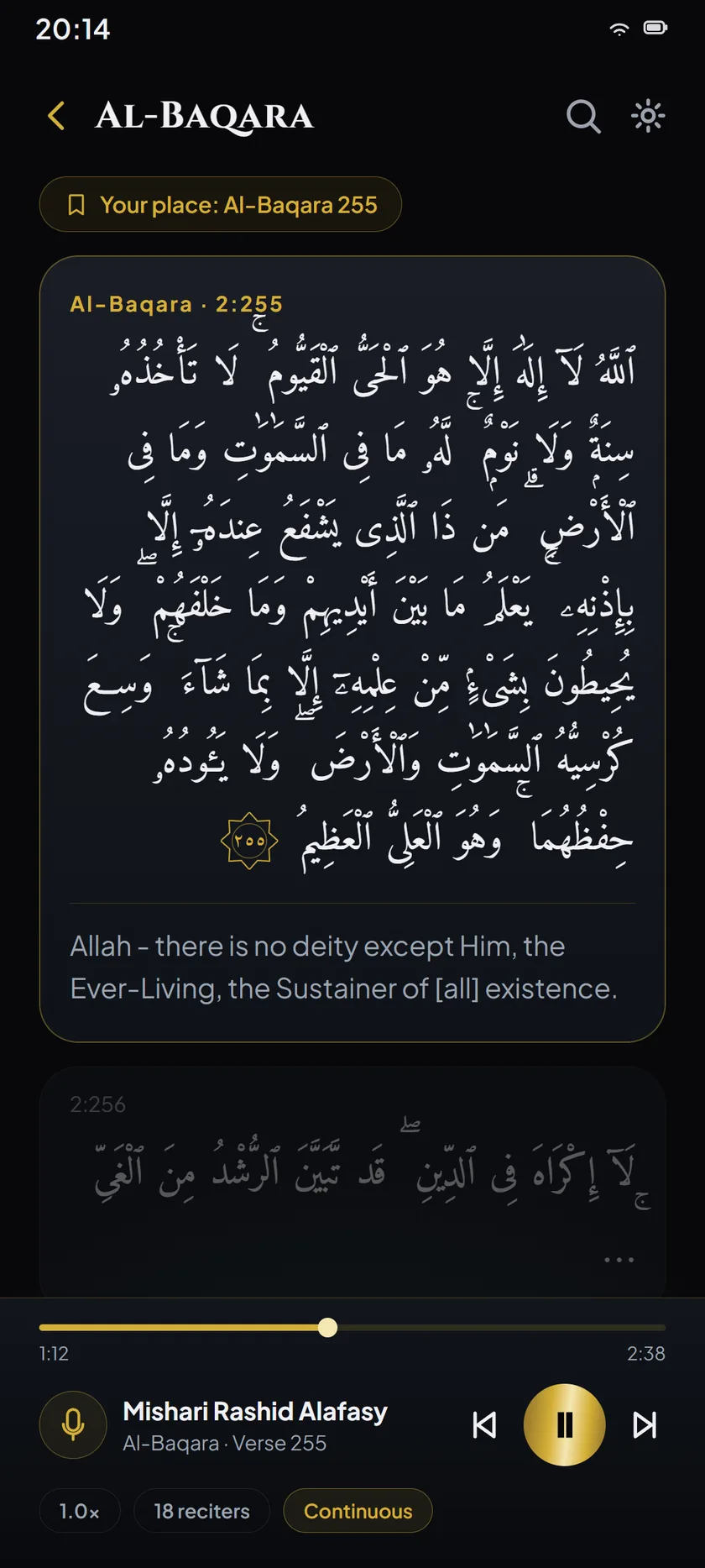
Continuous reading
One of the five reading modes: the text runs on without a page to turn.
Available now on Google Play
Ummahti is an offline-first Qur’an reader for Android. The whole Book, seven calligraphy styles, translation and recitation, with no ads, no account, and no reading history kept about you.
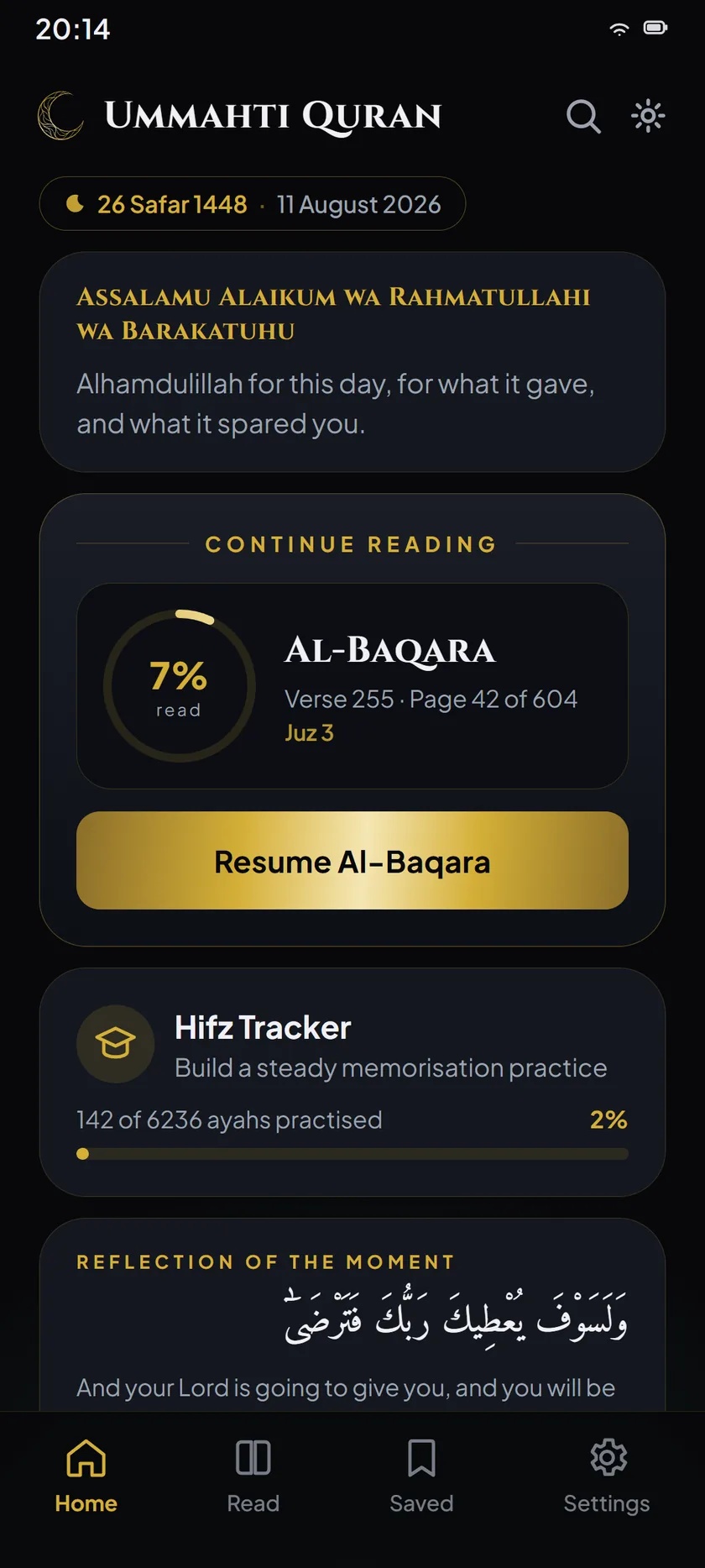
Home
New in version 1.4
The Mushaf
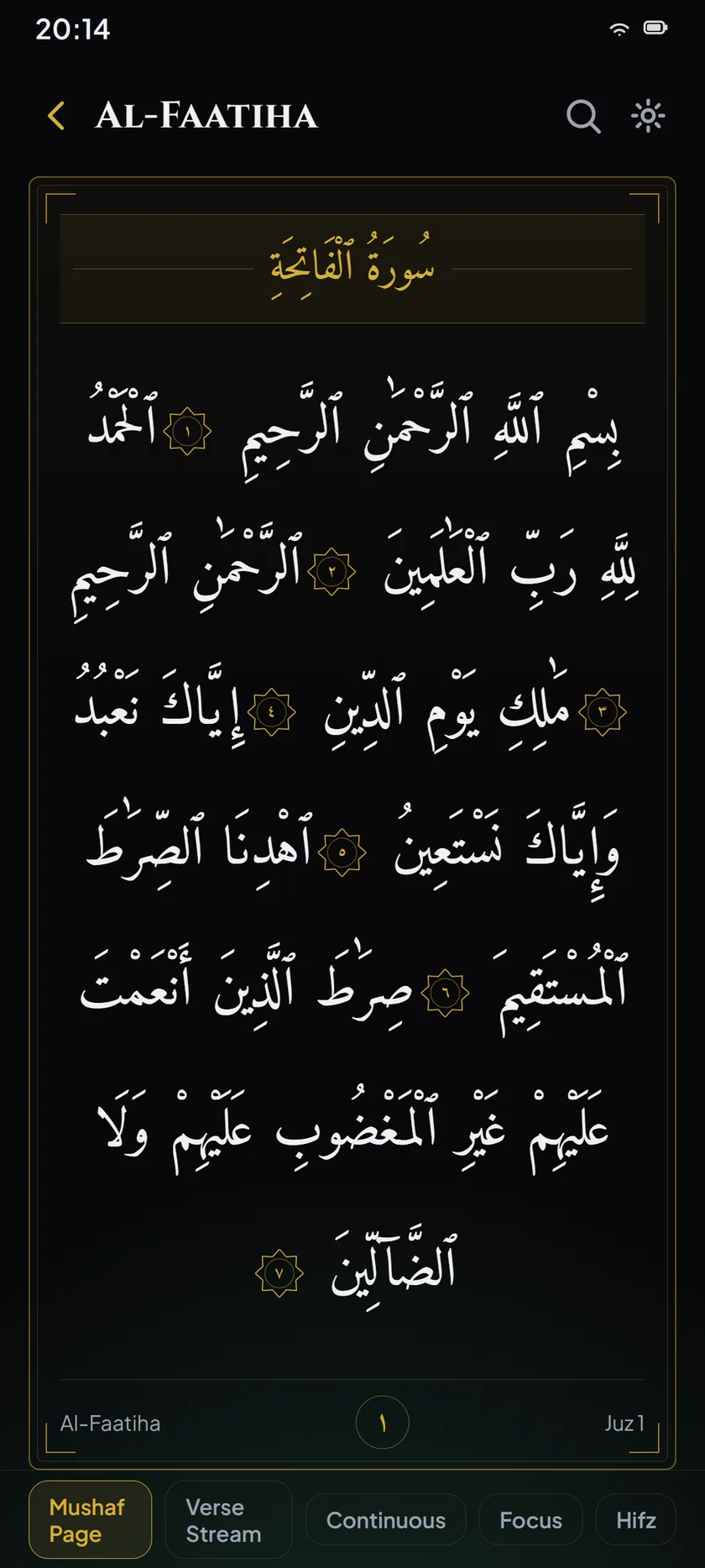
Seven calligraphy styles, every one of them bundled in the app and drawn with its own typeface. Page numbers, juz marks and surah headers follow the printed Mushaf, so what you memorised by position stays where you memorised it.
New in this release, Mushaf al-Madinah sets the King Fahd Complex’s own face over the Complex’s own spelling of the text. A face and the orthography it was cut for are one decision rather than two, so Ummahti ships them as a pair.
Four of the seven are set side by side here.
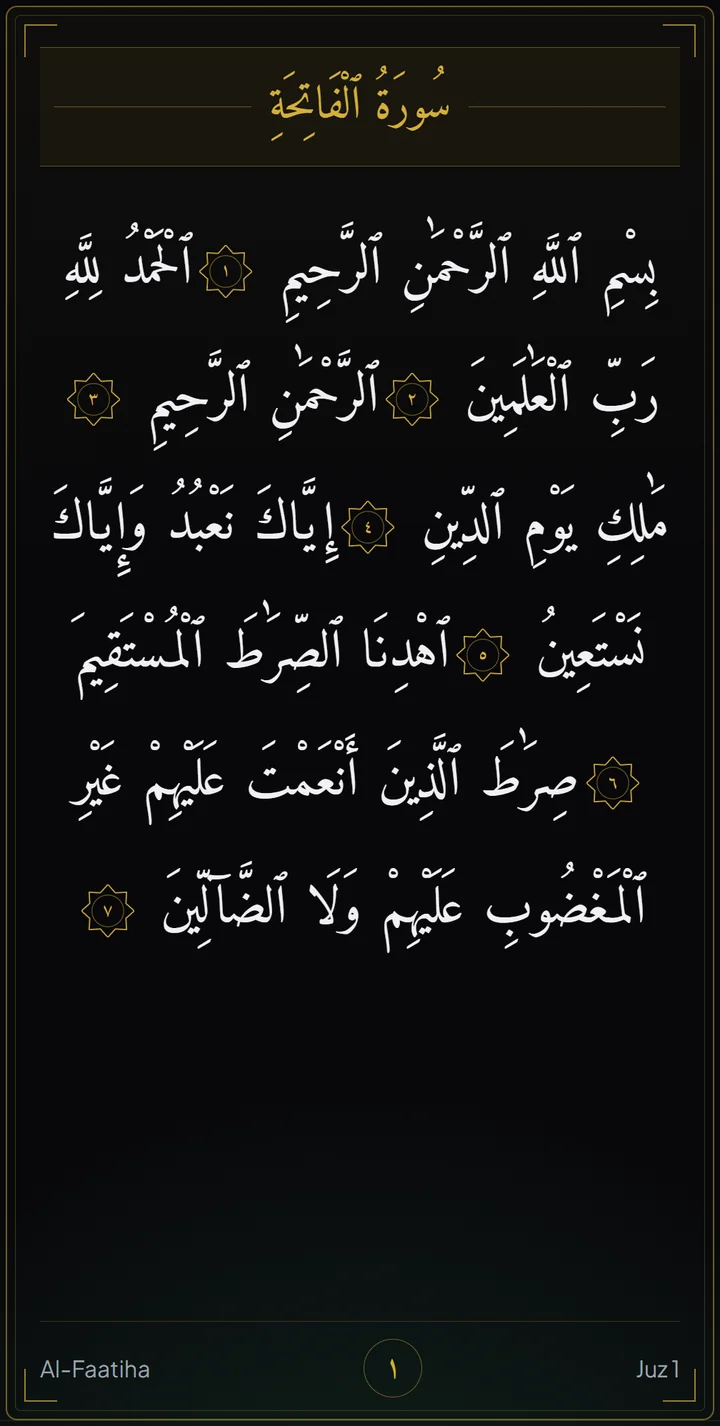
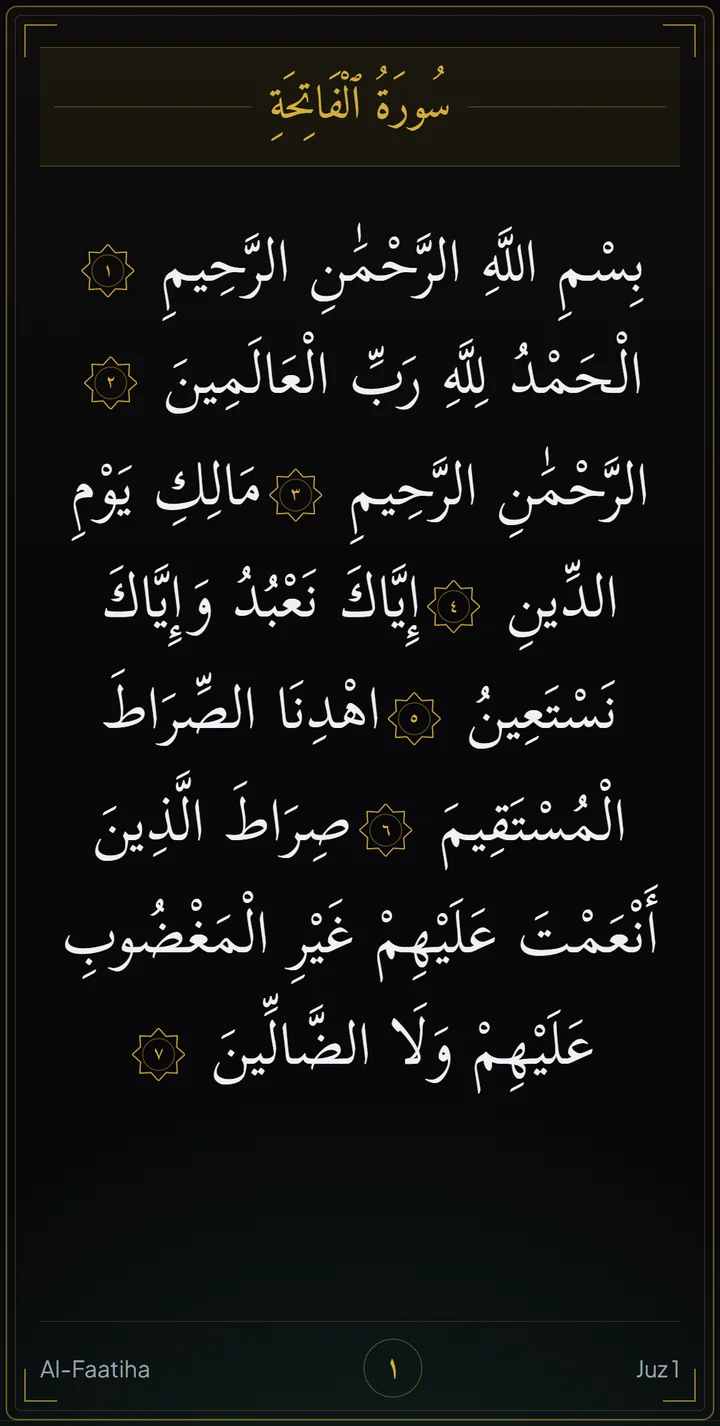
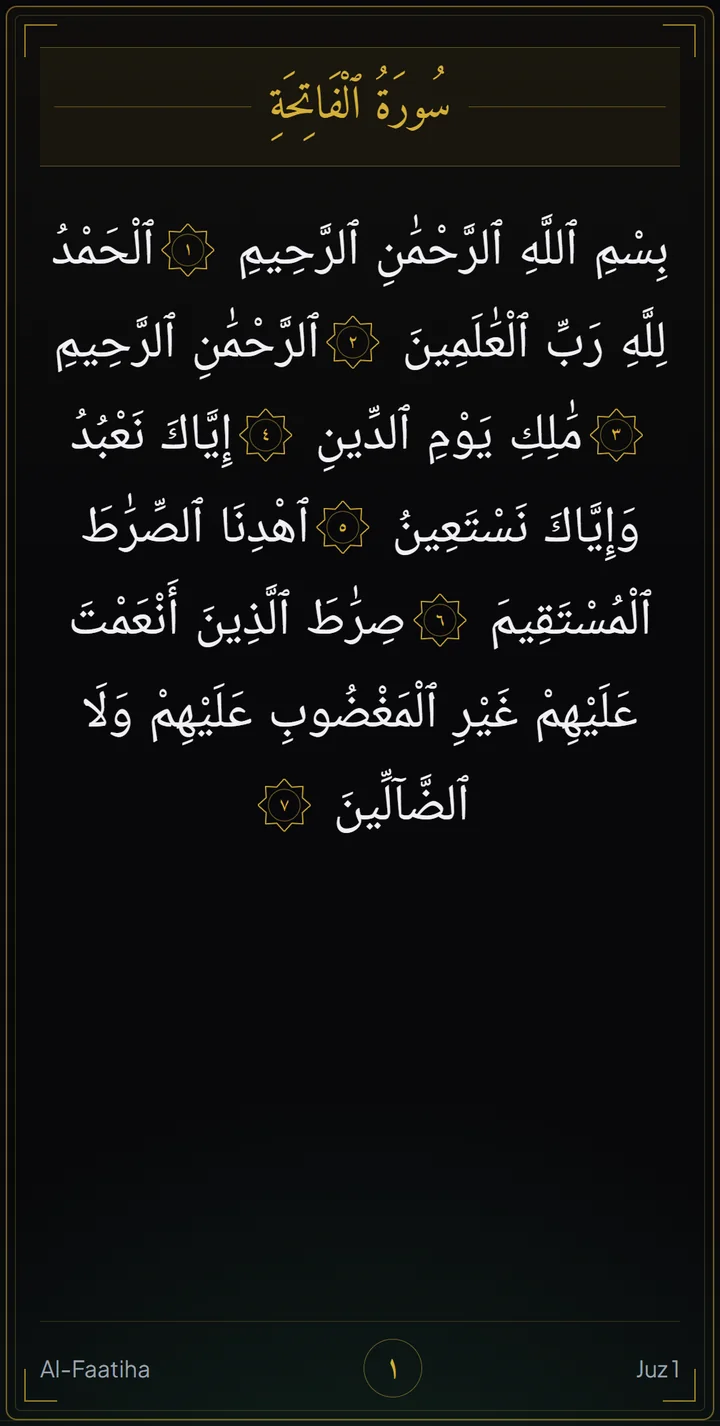
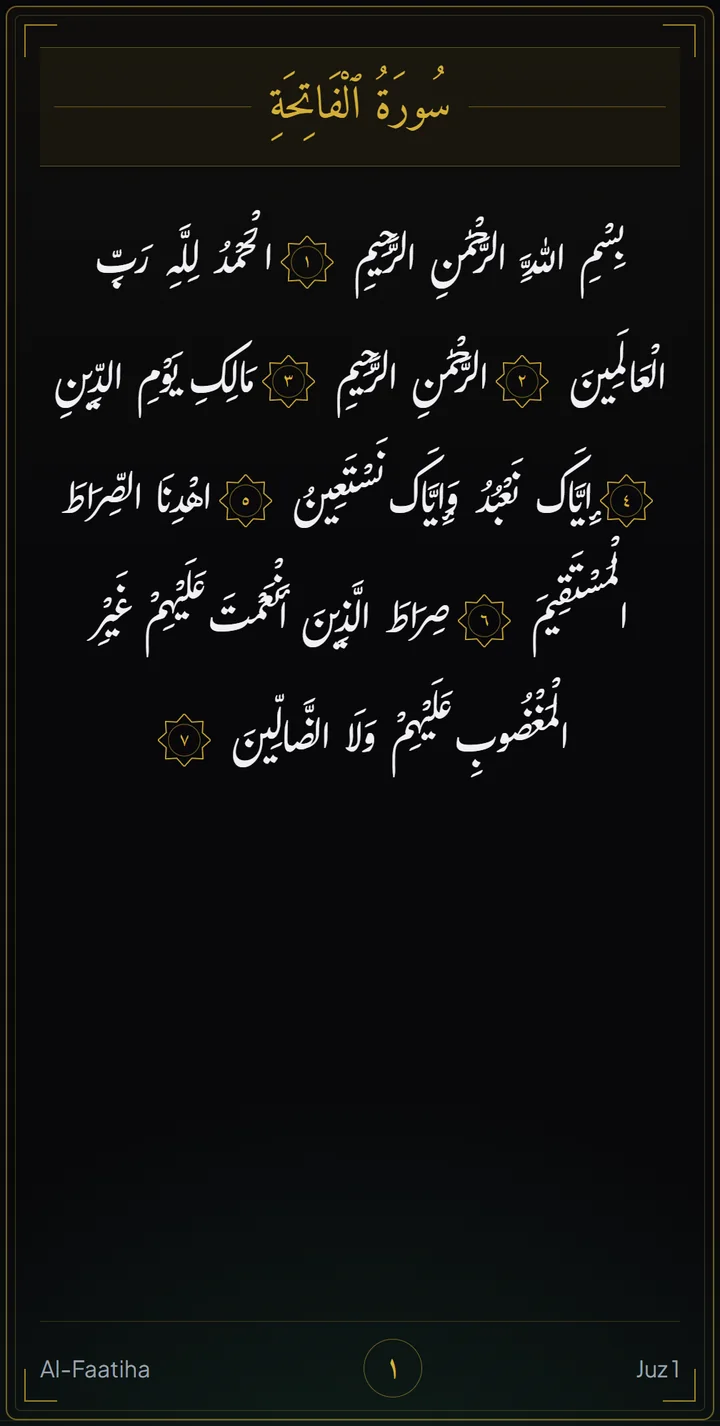
Drag the page to turn it.
Search
Most Qur’an search expects you to already know the answer: the exact spelling, the right script, the surah number. Ummahti’s does not.
It reads Latin spelling by ear, forgives a wrong letter, ignores the harakat, understands a reference, and knows a verse by the name people actually call it. All of it runs on the phone, offline.
mal qariahAl-Qaari’a · Surah 101Latin letters, spelled by ear. No Arabic keyboard needed.merfyThe mercy versesOne letter wrong, and it still retrieves.yaseenYaseen · Surah 36Ya-Sin, Yasin, Yaseen. Spellings of one sound collapse together.2:255Al-Baqara 255A plain verse reference.ayat al kursiAl-Baqara 255The name people use, not the number.sadaqahCharityA topic, under any of its names: zakat, giving, صدقة.الرحمنAr-Rahmaan · Surah 55Arabic, with or without the harakat.Ummahti Guide
Guide is a destination of its own in the app. Describe a situation in your own words and it answers from the Qur’an and the authentic Sunnah, naming the exact source you can open and read for yourself.
There is no AI in it, and it issues no rulings. The catalogue is written and reviewed in advance, the matching runs on your phone, and what you type never leaves it.
You type
And one thing to do
You type I can’t stop worrying
Anxiety and Worry Heart & Emotions
And one thing to do Return to short, simple dhikr when your mind is racing: even a few words, repeated.
Real answers, from a catalogue of eighty-one topics across ten categories, on Qur’an references from sixty-seven surahs, fifty-seven graded narrations and fifteen supplications — matched in ten languages, so the situation can be described in the words you would actually use. The Arabic itself is in the app, drawn with the app’s own vetted Qur’an typefaces, and never in a browser.
Ayah on Unlock
Unlock your phone and one ayah is there, with its translation, its reference, and the juz and page to turn to if you want to sit with the passage properly. Read it and carry on, or set it aside for later. It is the one habit the app asks of you, and you can turn it off in a single tap.
It never moves your place. Whatever you were last reading is exactly where you left it, untouched.
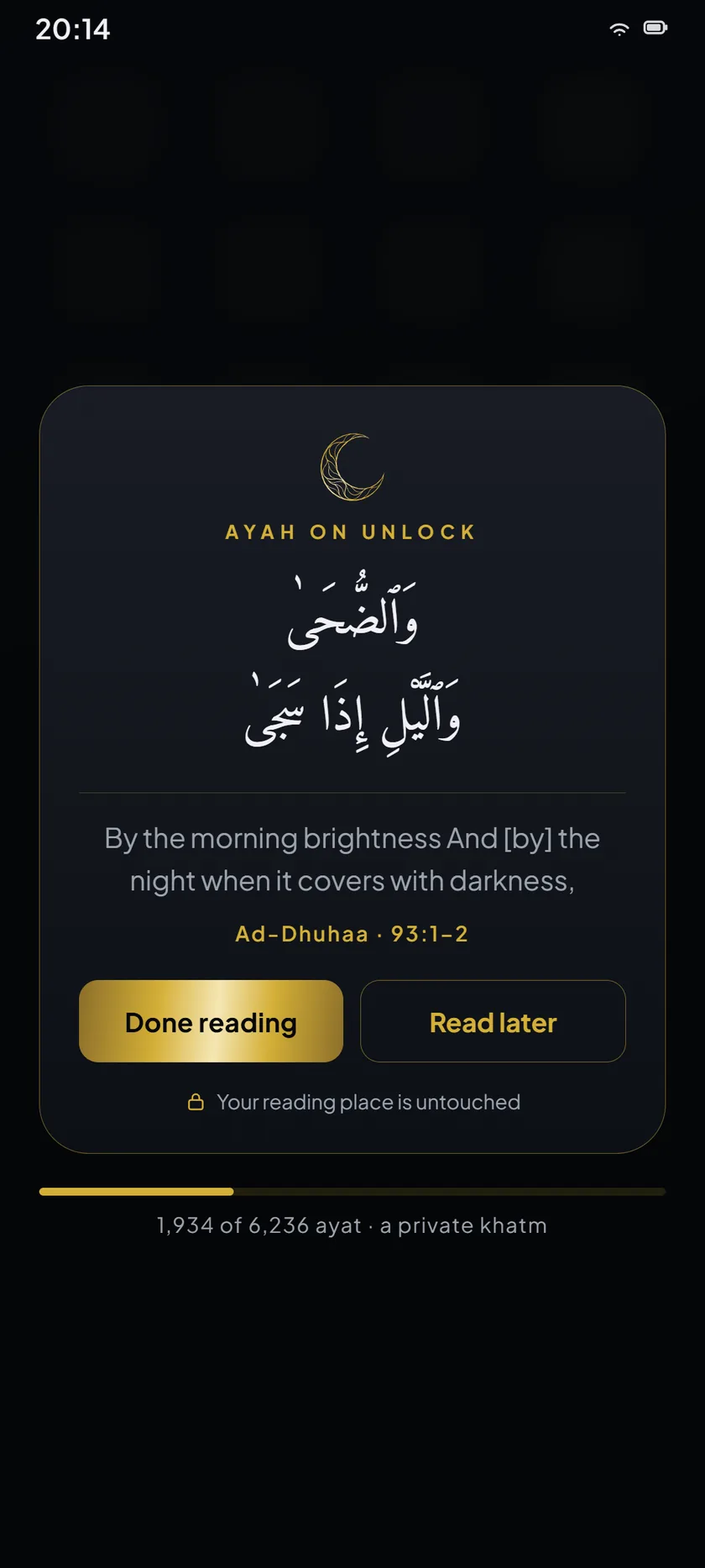
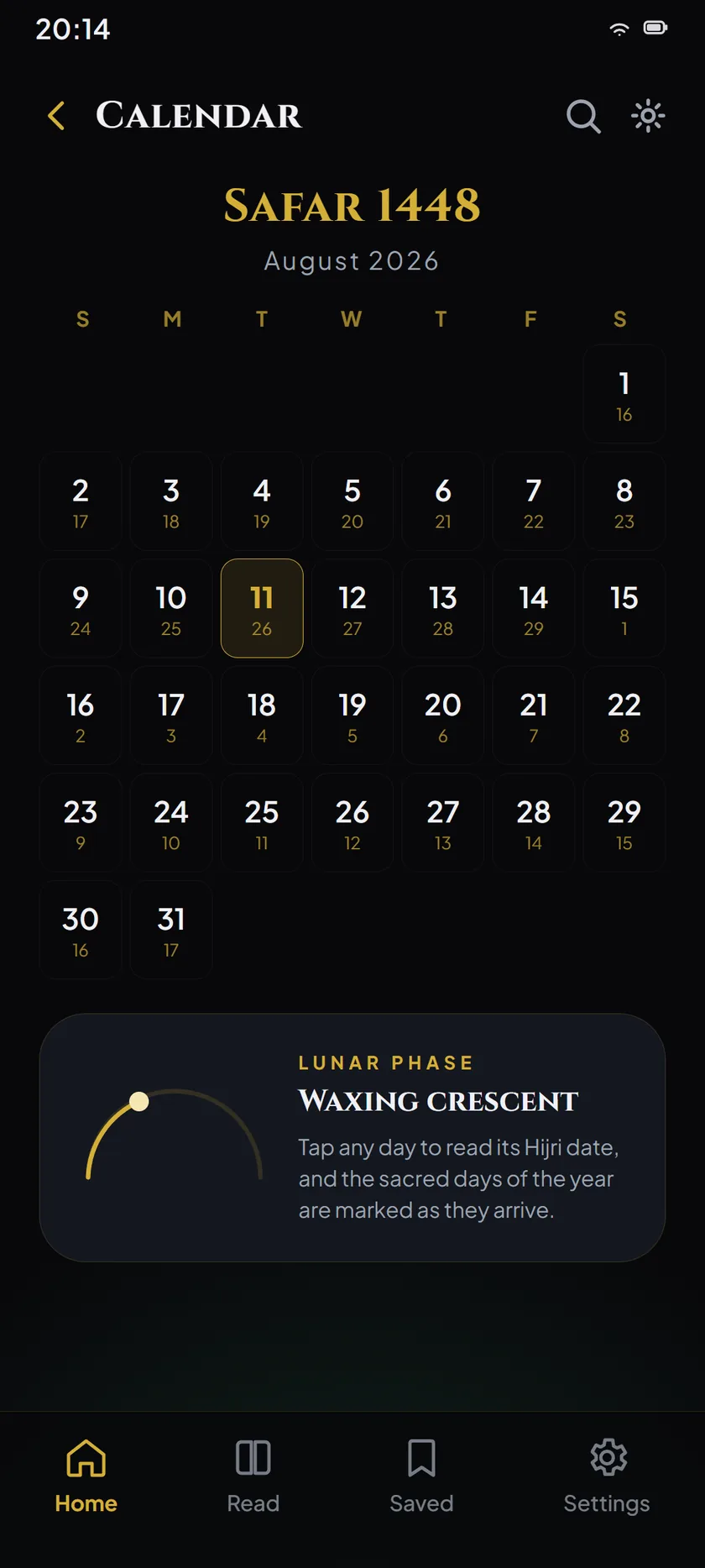
Inside Ummahti
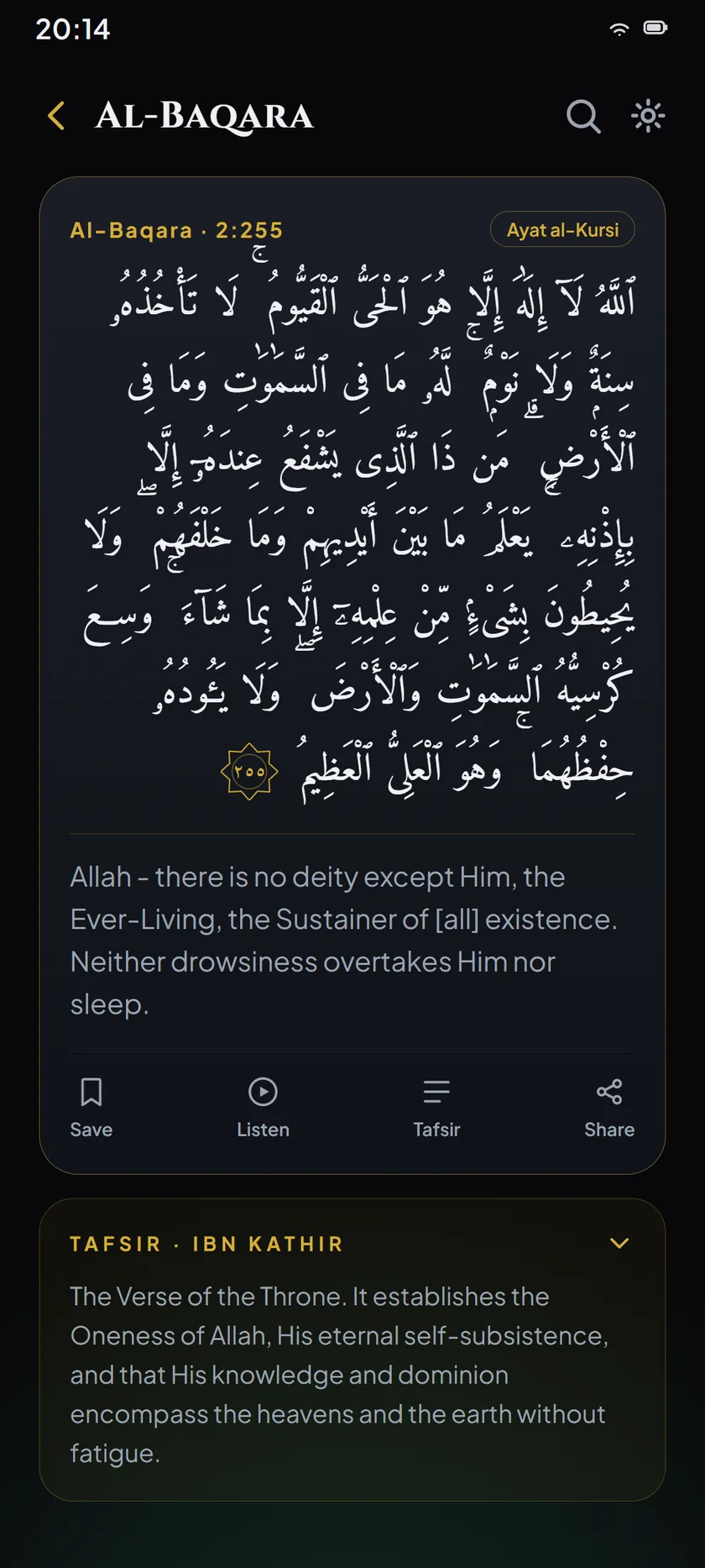
Arabic and translation together, one ayah at a time, for reading with understanding.
Listen verse by verse while your reading position stays exactly where you left it.
The Islamic date beside the Gregorian one, on the home screen and in full.
From Obsidian to Classic Ink, each one tuned for long reading rather than for effect.
Guided repetition and revision for memorisation, counted honestly and never scored.
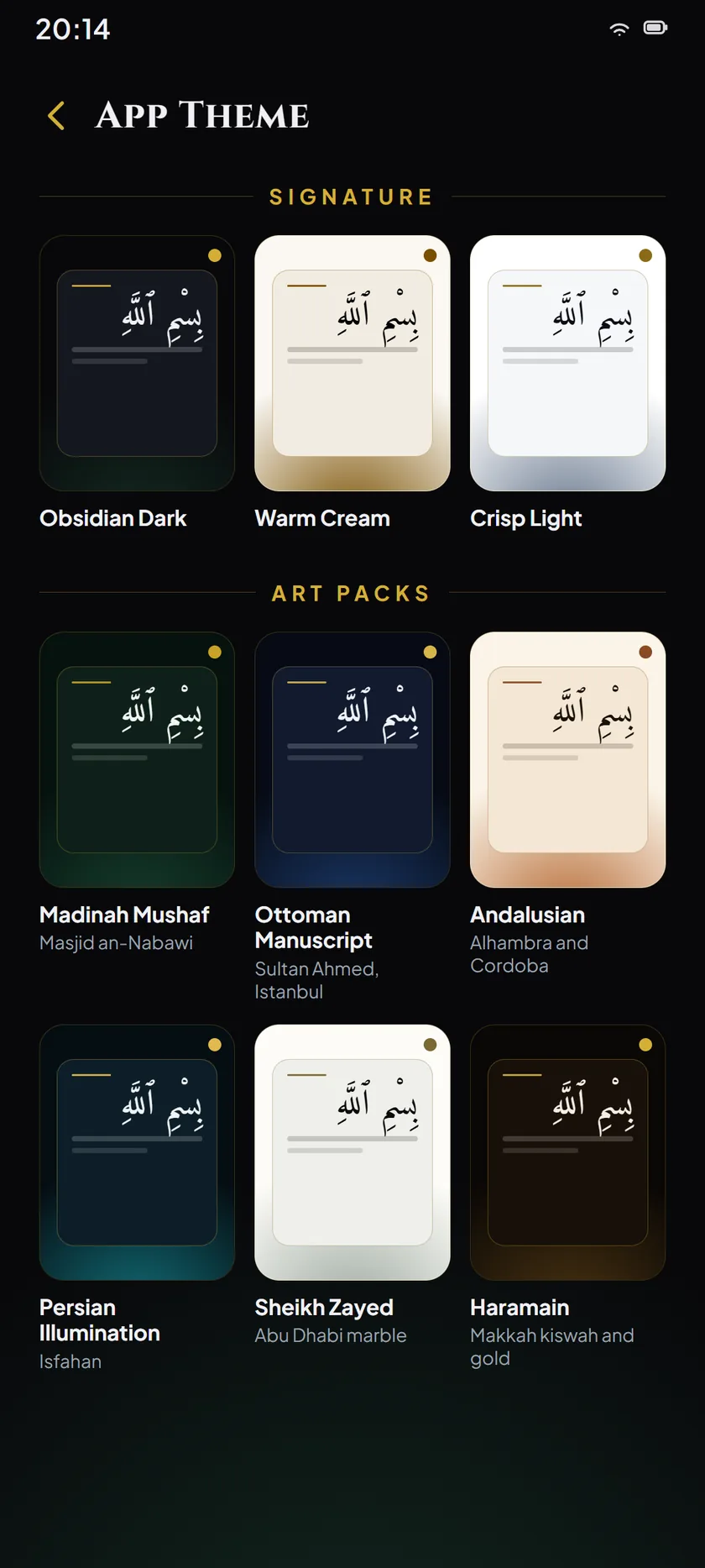
Twelve themes
Four are core reading themes. Eight are drawn from a tradition or a place: the mushaf of Madinah, an Ottoman manuscript, Andalusian Cordoba, Persian illumination, the marble of Sheikh Zayed, the kiswah of the Haramain, dawn light in Shiraz and a carved stone screen at night.
Nothing is traced, photographed or reproduced. Every motif is geometry drawn in code, and each theme says plainly whether its pattern is derived from a tradition, broadly inspired by one, or Ummahti’s own. Every palette is taken from its source and then adjusted until the text clears AAA contrast, in that order and never the reverse.
New in this release, Reading Themes and Heritage sets each one beside a live preview and the story of where its pattern came from. The picker in Settings is unchanged; this sits beside it, for looking before you choose.
Choose one and this page will read in it too.
And the rest of it
One of the five reading modes: the text runs on without a page to turn.
One of the five reading modes, for reading with nothing else on the screen.
Saved places, kept on the device rather than on a server.
Your own writing beside the text, stored on the phone with everything else.
Commentary alongside the verse, downloaded only when you ask for it.
Other editions in other languages, added when you want them.
Thirty-eight voices to read with, and verse-by-verse playback controls.
The sound of the Arabic in Latin letters, for when you are still learning.
Page numbers, juz marks and surah headers, following the printed Mushaf.
Inside Guide: Qur’anic and Prophetic supplications, each with a reading aid, its meaning, its exact reference and when it is authentically said.
Recitation
Murattal and mujawwad, from the Haramain and beyond it. Choose one and the reading follows you verse by verse, with your place kept exactly where you left it.
Eighteen are recorded ayah by ayah. The other twenty are whole-surah reads, made ayah-addressable by each recording’s own published timings, so a tap still lands on the verse you tapped.
One verse
إِنَّ هَٰذِهِ أُمَّتُكُمْ أُمَّةً وَاحِدَةً وَأَنَا رَبُّكُمْ فَاعْبُدُونِ
Inna hādhihi ummatukum ummatan wāḥidatan wa-ana rabbukum fa’budūn
“Indeed this ummah of yours is one ummah, and I am your Lord, so worship Me.”
The name
Ummahti is Arabic for “my Ummah”. It is the word the Prophet ﷺ used for the people who would come after him.
It is reported that every prophet was given one supplication that is answered, and that each of them hastened to make it. He held his back, and kept it as intercession for his Ummah on the Day of Resurrection: reaching, if Allah wills, whoever of his Ummah dies associating nothing with Allah.
The app carries the name because of what the word cost him, not as a claim on the outcome. What an app can do is keep the reading close and name every source it puts in front of you.
The full page is in the app, under About. It reads offline and needs no account.
The promise
The reading is the product. Not your attention, and not your data.
Before you install
Yes, and it stays free. There are no advertisements, no subscription, no paid tier and no in-app purchases of any kind. Nothing in the app is held behind a payment, and no feature is withheld to sell you a better one later.
Nothing. There is no account to make, no advertising identifier, and no reading history kept about you. Your position, bookmarks, reflections and Hifz practice stay on your device and are never uploaded. Diagnostics are off unless you turn them on, and every feature works identically with them off. The Privacy Policy sets out exactly what is stored and what is sent.
The parts you read with, yes. The complete Arabic Qur’an, the bundled English translation, search, bookmarks, navigation and Ummahti Guide are on the device from the moment you install, and need no connection ever. Streaming a reciter and downloading an additional translation are the two things that do.
Saheeh International is bundled and works offline out of the box. Beyond it you can download Yusuf Ali, Pickthall, and Hilali & Khan in English, and editions in Urdu, Turkish, French, Indonesian, Bengali, Hindi, German and Russian. Each one names its translator in Settings, and an edition whose translator could not be established is not offered at all.
Not at the moment. Ummahti is an Android app, and Google Play is the only place it is published. Rather than promise a date, the honest answer is that there is nothing to install on iOS today — the YouTube channel and the community group are where anything on that front would be said first.
Neither. Guide matches what you describe against a catalogue of topics written and reviewed in advance, and answers with Qur’an and authentic Sunnah passages held against that topic, each named with its exact reference so you can check it yourself. Nothing is generated. It issues no rulings, and where a topic’s honest answer is that there is no prescribed recitation for it, it says so.
More on Guide, the reading themes, your data and reporting a problem, on the support page.
Seeking closeness to Allah.
Install Ummahti on Android, or join the community for release news, help and thoughtful conversation.

Reading this on a computer? Point your phone’s camera at the code and Ummahti opens on Google Play.